

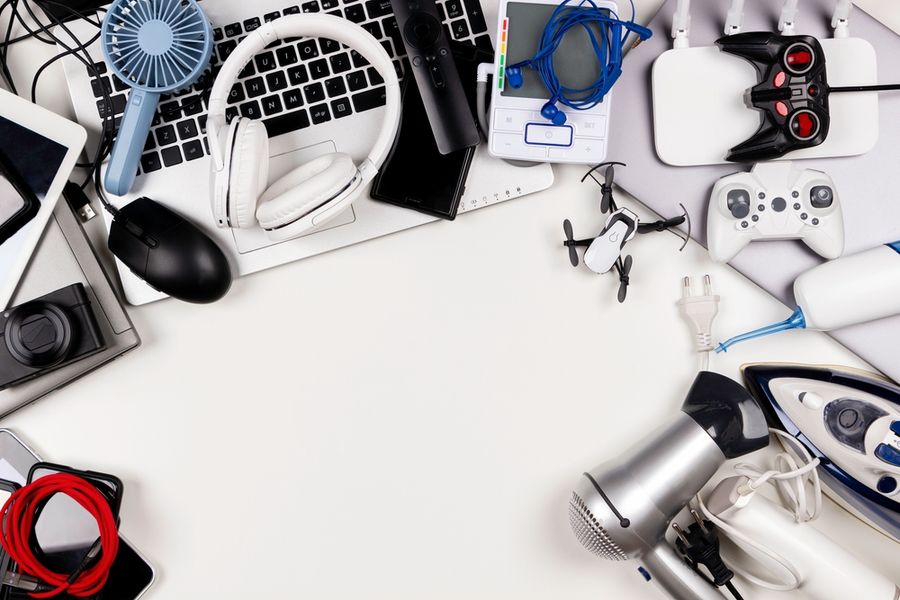
Buying used electronics can be a smart way to save money, especially when new devices come with steep price tags. A secondhand laptop, phone, or gaming console can work just as well as a brand-new one if you know what to look for. A careful inspection and a bit of research go a long way toward preventing regrets. With the right checks, you can confidently bring home a reliable device that performs well and lasts.
Research the Seller Before Committing
Start by learning as much as you can about the seller. Whether you’re browsing a local shop, an online marketplace, or a refurbishing company, a reputable source is essential. Look for reviews, ratings, or customer feedback that highlight their reliability. A seller with a long-standing presence and positive reputation is more likely to offer devices that have been tested and accurately described.
If you’re buying from an individual, ask questions about how long they used the device, whether it has had repairs, or if it has any known issues. Honest sellers will be transparent. Avoid deals that feel rushed or sellers unwilling to provide details—trustworthiness is part of the value you’re paying for, even with used tech.
Check Whether the Device Is Still Supported
Before buying a used device, make sure it still receives software updates. Older phones, computers, and tablets eventually lose manufacturer support, leaving them vulnerable to security risks. Unsupported devices also tend to struggle with newer apps, run slower, and experience more glitches over time. A quick check on the manufacturer’s website will tell you whether updates are still active and how long they’re expected to continue.
Support is especially important for smartphones and laptops that store personal information. Security patches protect against malware and unauthorized access. Buying unsupported tech may seem like a bargain, but it often leads to frustration, performance issues, and potential security concerns. A slightly newer model may cost more upfront but provide far better long-term value.
Inspect the Physical Condition Closely
A device can look great at first glance and still hide serious wear. Examine the screen for scratches, cracks, dead pixels, or discoloration. Look at the body for dents, bends, or signs of previous repairs. Ports should be clean, not loose, and free of rust. Buttons, switches, charging ports, and headphone jacks should work smoothly without sticking.
If you’re buying a laptop, test the keyboard and trackpad. For phones or tablets, check for signs of water damage or frame separation. Any major defects may indicate internal problems or poor handling by the previous owner. Light wear is normal, but structural damage often isn’t worth the risk. Getting clear close-up photos or a video demonstration can provide reassurance if shopping online.
Ask About Battery Health and Power Performance
Battery life is one of the biggest concerns with used electronics, especially smartphones and laptops. Batteries degrade over time, and replacing them can add unexpected costs. Ask the seller for the battery health percentage or cycle count if available. Many modern devices (like iPhones and MacBooks) have built-in diagnostics that make this easy to verify.
When possible, power the device on and test how quickly it drains or overheats. Devices that get hot during basic tasks often have internal hardware issues. If the battery is weak but everything else works well, factor in the cost of a replacement. A low price may not be a deal once repair expenses are added.
Verify Serial Numbers and Ensure the Device Isn’t Stolen
Before finalizing a purchase, confirm that the device isn’t blacklisted, activation-locked, or stolen. Phones have IMEI numbers you can check through verification websites. A blacklisted IMEI means the phone won’t work on most networks. Laptops and tablets should also have serial numbers you can enter on the manufacturer’s website to confirm the device’s authenticity and warranty status.
Make sure previous users have removed all accounts. Activation locks, iCloud locks, and Google account locks can render a device completely unusable. For gaming consoles, ensure they aren’t banned from online servers. A legitimate seller will gladly provide serial numbers and confirmation screenshots.
Test Functionality or Ask for a Demonstration
Whenever possible, test the device in person. Turn it on, check Wi-Fi, try the camera, play audio, and open a few apps. For laptops, test the trackpad, keyboard, and speakers. For gaming systems, ensure controllers sync properly, and games run smoothly. If meeting in person isn’t possible, ask the seller to send a video demonstrating the device turning on and being used.
Testing protects you from costly surprises. It helps reveal lag, freezing, or issues that photos won’t show. If the seller refuses to demonstrate the device, consider it a red flag. Transparent sellers are typically willing to prove everything works before a sale.
Making Smart Choices With Used Tech
Used electronics can offer outstanding value when chosen carefully. By researching the seller, checking device support, verifying the serial number, and thoroughly testing performance, you protect yourself from disappointing purchases.
A good secondhand device should feel reliable, secure, and capable of serving your needs for years. With a thoughtful approach, buying used tech becomes a budget-friendly way to enjoy quality devices without compromising on functionality or peace of mind.